Artificial intelligence (AI) has rapidly become part of the developer’s toolkit. Proof of this lies in the remarkable growth in AI adoption between 2015 and 2019, where companies using AI services increased by 270%, according to Gartner.com.
Here are some of the advantages that programmers typically cite when adopting AI:
Increased productivity: AI tools help developers write code more efficiently.
Improving code quality: AI tools help developers identify bugs and security flaws, and offer suggestions for improving code quality.
Time savings: By streamlining various development tasks, AI tools reduce both the time and costs associated with software development.
As AI becomes more prevalent, failing to utilize AI tools in software development can leave you behind. In this article, we’ll examine these tools and how they help developers stay ahead of the curve.
1. Tabnine for the completion of the code
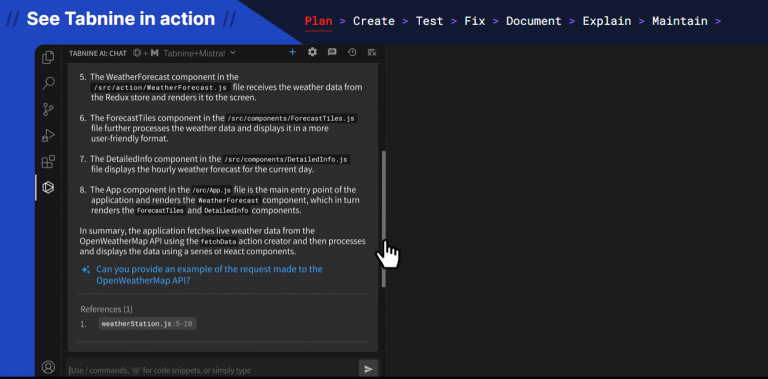
Tabnine is an AI tool for developers that provides code completion and code prediction. It is available in various programming languages, including JavaScript and Python. Tabnine uses a machine learning algorithm to learn from your code and predict the next line of code you are likely to write. It can also suggest code snippets, complete functions, and even generate entire classes.
Tabnine is particularly useful for JavaScript and Python programmersbecause it can help them write code faster and more accurately. For example, Tabnine can help JavaScript programmers write complex regular expressions and navigate large codebases. It can also help Python programmers write more idiomatic code and avoid common errors.
Main features:
Code completion: Tabnine can complete code snippets, functions, and even entire classes. This saves developers a lot of time and effort, especially when working on complex or unfamiliar projects.
Contextual suggestions: Its suggestions are contextual, meaning they are based on the code you have already written. This makes the suggestions more relevant and useful.
Learning algorithm: Tabnine uses a machine learning algorithm to learn from your code and predict the next line of code you are likely to write. This makes Tabnine’s suggestions more accurate over time.
Some peculiarities:
Tabnine can suggest code redesigns. He can identify areas of your code that can be reworked to make it more efficient or readable. This can help you improve the quality of your code without spending a lot of time thinking about it.
Tabnine integrates with popular IDEs and editors, such as Visual Studio Code, IntelliJ IDEA, and Sublime Text. This makes it easy to use while coding.
Pricing: Tabnine offers a free plan. For the Pro plan, pricing starts at $12 per month.
2. Synk for code analysis and analysis security
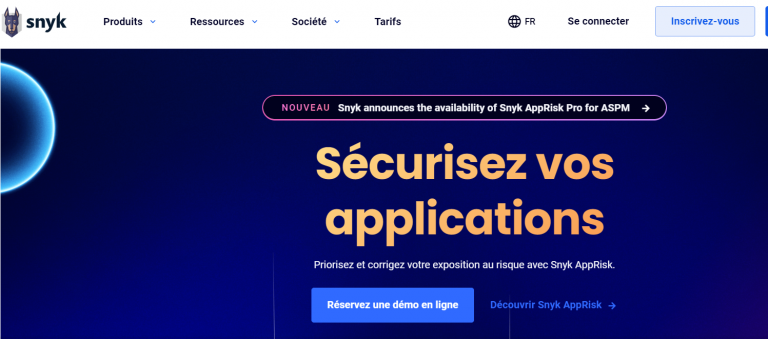
Snyk is a cloud-based code analysis tool that can help developers find security vulnerabilities and open-source license compliance issues in their code. Snyk uses various techniques to analyze code, including machine learning, static analysis, and dynamic analysis. It can also analyze production code.
Main features:
Code analysis: Synk can analyze code for security vulnerabilities and open-source license compliance issues.
Machine learning: It uses machine learning to identify code patterns associated with security vulnerabilities and open-source license compliance issues.
Static analysis: This AI tool uses static analysis to analyze code without having to execute it. This allows Synk to identify potential problems in the code even before deployment.
Dynamic analysis: Synk uses dynamic analysis to analyze code during its execution. This allows the tool to identify problems that would not be apparent through static analysis alone.
Some peculiarities:
Snyk is one of the few AI code analysis tools that scans code for security vulnerabilities and open-source license compliance issues. This makes Snyk a valuable tool for developers who need to ensure their code is both safe and compliant.
The developers state that Snyk is very accurate and reliable. It has been trained on a massive dataset of code and is constantly updated with new data. This means that Snyk can identify potential problems in the code, even with a high level of confidence.
Synk is easy to use. It can be integrated into various development tools and workflows and provides developers with clear, actionable feedback. Even Reddit has taken advantage of this powerful tool.
Pricing: Synk offers an excellent free plan. Their team plan starts at $52 per month.
3. PolyCoder for code generation
PolyCoder is an AI-powered code generation tool that can help developers generate code in various programming languages, including JavaScript and Python. Trained on a massive codebase, PolyCoder can generate both correct and idiomatic code. It can also generate code for specific tasks, such as building machine learning models or developing web applications.
Main features:
Génération de code : PolyCoder peut générer du code dans différents langages de programmation, notamment JavaScript, Python, Java, C++, C#, et plus encore.
Contextual generation: It can generate code based on the context of the code you have written.
Some peculiarities:
It can generate correct and idiomatic code. This is because PolyCoder is trained on a massive set of code, and it can learn the patterns and conventions of different programming languages.
Price: Free and open source.
4. Otter.ai pour les réunions et la transcription
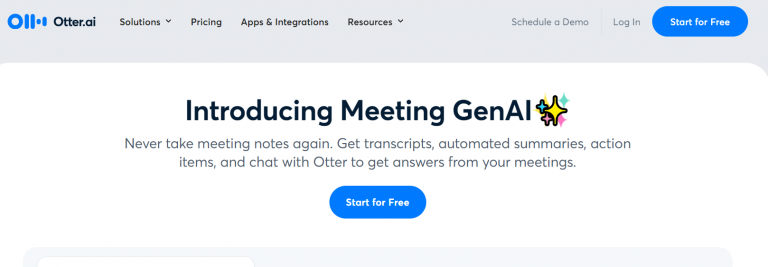
Otter.ai is an AI-powered meeting transcription tool that can help developers transcribe their meetings and collaborate more effectively. It is available for desktop and mobile devices.
Main features:
Automated transcription: Otter.ai can automatically transcribe meetings, even if there are multiple speakers or background noise.
Speaker identification: Otter.ai can identify speakers during a meeting and attribute their words to them in the transcript.
Time markers: It includes time markers in its transcripts so developers can easily find specific points in a meeting.
Search: This tool allows developers to search their transcripts for keywords and phrases.Search: This tool allows developers to search their transcripts for keywords and phrases.
Collaboration: Otter.ai allows developers to share their transcripts and collaborate on them.
Some peculiarities:
Otter.ai is one of the most accurate AI-powered meeting transcription tools available. It uses a combination of deep learning and natural language processing to transcribe meetings with high accuracy, even in noisy environments.
Speakers with non-American English accents have regularly reported that Otter’s transcription feature doesn’t fully account for them. It’s possible that it was trained solely on American accents. Therefore, we recommend combining Otter with other tools if your meeting is multinational.
It’s easy to use. Simply start recording your meeting, and Otter.ai will begin transcribing it automatically. You can then access the transcript from your web browser or mobile device.
It offers various features that make it a valuable tool for collaboration. For example, you can share your transcripts, add notes and comments, and search for keywords and phrases.
Pricing: Otter.ai offers a free plan and other plans with varying features. The Pro plan costs $10 per user per month when billed annually.
5. Rewind.ai for documentation
Rewind.ai was founded by the team behind Scribe.ai, an AI-powered process documentation tool acquired by Google in 2020. The Rewind.ai team took the best of Scribe.ai and built a new AI-powered process documentation tool that is even more powerful, accurate, and easy to use. It can help developers create clear and concise documentation for their code and processes. It’s a web application with a variety of features that make it a valuable tool for developers.
Main features:
Automatic documentation generation: Rewind.ai can automatically generate documentation for code and processes based on the code itself, comments, and other metadata.
Natural language generation: Rewind.ai uses natural language generation to create documentation that is easy to read and understand.
Collaboration features: It allows developers to collaborate and share documentation with their peers.
Version control: It tracks changes made to the documentation and allows developers to revert to previous versions.
Search: Rewind.ai allows developers to search their documentation for keywords and phrases.
Quelques singularités :
It is easy to use. Its user-friendly interface makes it easy for developers to create and manage documentation.
Rewind.ai is highly customizable. Developers can customize Rewind.ai’s output to meet their specific needs. For example, they can generate documentation in various formats, such as Markdown, HTML, or PDF.
It is constantly updated with new features and capabilities. The Rewind.ai team is committed to making this the best AI-powered process documentation tool.
Price: Rewind.ai’s pricing starts at $100 per month, per regular update.
6. Hugging Face for Natural Language Processing
Hugging Face is an open-source software company that provides a suite of tools and resources for natural language processing (NLP). It is a popular choice for developers building NLP applications, including JavaScript and Python programmers.
Main features:
Pre-trained models: Hugging Face provides a library of pre-trained language models that can be used for various NLP tasks, such as text classification, question answering, and machine translation.
Datasets: Hugging Face also provides a library of datasets for NLP tasks. These datasets are well-organized and easy to use, and can be used to train and evaluate NLP models.
Tools: It provides tools for NLP development, such as tokenizers, transformers, and training scripts. These tools facilitate the construction and training of NLP models by developers.
It has a large and active community of users and contributors. This means that strong support is available for developers using Hugging Face to build NLP (Natural Language Processing) applications.
It has a growing ecosystem of tools and resources built on the Hugging Face Transformers library. This ecosystem makes it easier for developers to build and deploy NLP applications.
Price: Hugging Face has a free plan, but it offers a Pro plan at $9 per month.
7. Figstack for code comprehension
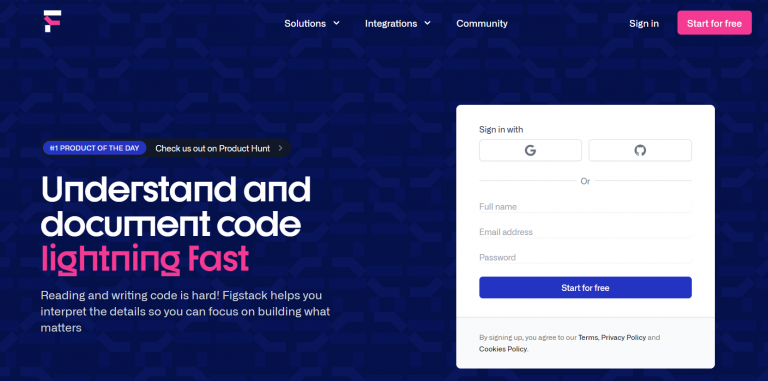
Figstack is an AI-powered code reader that can help developers understand code written in any language. It uses various techniques, including machine learning and natural language processing, to understand the code and generate accurate and easy-to-understand explanations.
Main features:
Code explanation: Figstack can explain code in natural language, making it easier for developers to understand what the code does.
Code analysis: The tool can analyze code for potential errors, security vulnerabilities, and performance issues.
Code documentation generation: Figstack can generate documentation for code, including documentation for specific functions, classes, and modules.
Code translation: It can translate code from one language to another.
Quelques singularités :
Figstack can explain code in any language. This makes it a valuable tool for developers working with multiple programming languages.
Figstack can be used to explain code in different contexts. It can be used to explain code being written, code being reviewed, and code being debugged.
Pricing: Figstack offers a free plan with 30 credits per month; after that, the starter plan is $9 per month.
8. Codepeer.ai for website generation
Codepeer.ai is an AI-powered website generation tool that can help developers create websites quickly and easily, without having to write any code. It uses many techniques found in other AI tools, including machine learning and natural language processing, to generate websites that are responsive, accessible, and SEO-optimized.
Main features:
AI-powered website generation: Codepeer.ai can create websites from simple text descriptions. This makes it easy for developers to build websites without having to write any code.
Responsive design: It generates responsive websites, meaning they will look good and work well on all devices, including desktops, laptops, tablets, and smartphones.
Accessibility: He creates websites accessible to people with disabilities. This means that the sites can be used by people with visual, hearing, and other impairments.
Optimized for SEO: Codepeer.ai generates websites optimized for SEO, meaning they have a greater chance of ranking high in search engine results pages (SERPs).
Some peculiarities:
Codepeer.ai can quickly generate websites and is very affordable.
Pricing: Codepeer.ai offers a short-term free plan; it starts at $10 per month if you really want to create a website.
Nous utilisons des cookies sur notre site Web pour vous offrir l'expérience la plus pertinente. Cependant, nous vous donnons le contrôle sur ce que vous souhaitez activer dans "Paramètres"
This website uses cookies to improve your experience while you navigate through the website. Out of these, the cookies that are categorized as necessary are stored on your browser as they are essential for the working of basic functionalities of the website. We also use third-party cookies that help us analyze and understand how you use this website. These cookies will be stored in your browser only with your consent. You also have the option to opt-out of these cookies. But opting out of some of these cookies may affect your browsing experience.